
Sharing your Michelin location with someone close does not work like a simple GPS coordinate send. The Michelin ecosystem, whether it’s ViaMichelin or the Michelin Maps app, relies on routes calculated with specific parameters (vehicle type, tolls, consumption). Transmitting this data to someone who does not use the same tool poses a compatibility issue that most traditional geolocation guides do not address.
ViaMichelin route link and app compatibility
The most direct method to share a Michelin route is to generate a route link from ViaMichelin (web version or mobile app). This link contains the starting point, destination, and selected calculation options. The recipient can open it in a browser without having the app installed.
The problem arises when the person tries to import this route into Google Maps or Waze. ViaMichelin links are not natively interpreted by other GPS systems. The recipient sees the Michelin map but cannot start navigation from their usual app without manually re-entering the destination address.
To bypass this limitation, a two-step approach proves more reliable: send the ViaMichelin link for the person to view the planned route, then complement it with real-time location sharing via a messaging app. You will find Michelin information on All News that details this combination of methods.
Real-time location sharing during a Michelin route
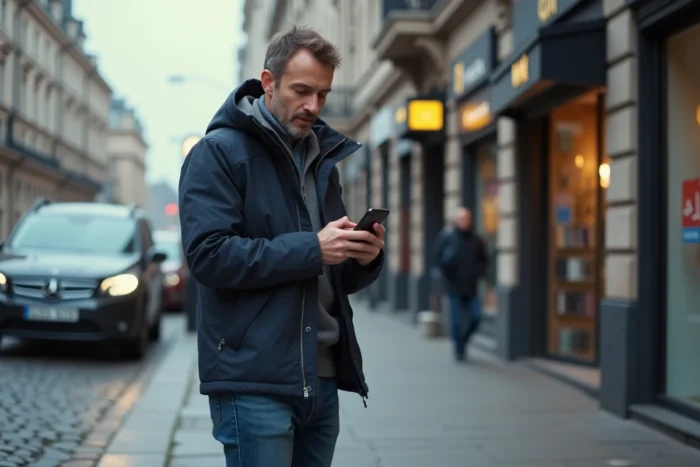
Once the Michelin route is launched, live tracking by a close person relies on a third-party app. Google Maps offers real-time location sharing accessible from the profile menu. The recipient receives a link and follows the progress on their own map, without the driver leaving their Michelin navigation.
WhatsApp provides an alternative with its “live location” feature. The duration of sharing can be set to 15 minutes, one hour, or eight hours. The person can see the last known position even after the time limit expires, allowing them to verify that the driver has arrived at their destination.
On iPhone, the Messages app integrates native sharing through the Apple ecosystem. The “Share My Location” feature in the contact card continuously sends the coordinates. However, this sharing only works smoothly between Apple users, which limits its usefulness in a family circle equipped heterogeneously.
Which option to choose based on trip duration
- Short trips (less than an hour): a simple send of a one-time location via WhatsApp or SMS is sufficient, without activating real-time tracking which consumes more battery
- Long trips (several hours, highway): real-time sharing via Google Maps remains the most stable, as it continues to function even if the messaging app goes into the background
- Family carpooling or recurring trips: creating a permanent sharing group in Google Maps avoids having to reactivate tracking at each departure
Legal framework for location sharing among close ones in France
The voluntary sharing of a route or GPS location with someone close is perfectly legal as long as it is based on the consent of the person being located. The legal distinction concerns the consented or imposed nature of geolocation.
Installing a GPS tracker on a spouse’s vehicle or activating location sharing on their phone without their knowledge constitutes a criminal offense, even within couples or families. Recent regulatory reminders in France emphasize this point, and several court decisions have sanctioned non-consensual geolocation practices between spouses.
For common family use (tracking a teenager’s arrival, reassuring an elderly parent), the CNIL recommends limiting the duration of sharing to the strict necessary and deactivating tracking as soon as the temporary need is met. Keeping a location share active permanently, even among consenting close ones, creates a surveillance habit that can become problematic.
Data collected by navigation apps
Beyond sharing among close ones, navigation apps (including ViaMichelin) collect movement data for their own services. Your trips reveal your daily habits, frequented places, and schedules. This data can be used for advertising purposes by the app’s partners.
Checking the privacy settings in each app used remains a step often overlooked. On Google Maps, the “Your data in Maps” section allows you to control your location history. On ViaMichelin, the options are more limited, and trip data is linked to your Michelin account if you have one.

GPS reliability and accuracy of shared location
The accuracy of a shared location depends on the active location mode on the phone. A disabled GPS or one in power-saving mode degrades accuracy to several hundred meters, making route tracking unusable for a close person trying to follow your progress.
On Android, the “high accuracy” mode combines GPS, Wi-Fi, and mobile network to refine the location. On iOS, location services must be activated for each app individually. If the shared location seems frozen or offset, the first reflex is to check these settings before suspecting an app issue.
White zones (tunnels, underground parking, rural areas without network coverage) temporarily interrupt real-time sharing. The close person then receives the last known position, without indication of movement. This offset can create unnecessary concern during long trips in mountainous areas or poorly covered regions.
The Michelin location sharing works best when one accepts that no single solution covers all cases. Combining a ViaMichelin route link for context with real-time tracking via Google Maps or WhatsApp for progress remains, at this stage, the most reliable combination to keep loved ones informed without multiplying apps.